


Private Photo Vault - Keepsafe
4.7213.60K Reviews
App Specs
- Version
- 14.21.0
- Updated On
- License
- Free
- Downloads
- 50,000,000+
- Developer
- Keepsafe
- Categories
- Photography
- Platform
- Android, iOS
Screenshots
 Analysis by AppCompare
In a shared home, a phone can pass from one person to another for a perfectly ordinary reason: showing someone a picture, letting a child use the camera, or handing over the screen to find a message. That is exactly when private photos can appear at the wrong moment. I see Private Photo Vault - Keepsafe as a practical way to create a separate, locked place for selected pictures and videos, rather than relying on a person remembering which items to hide before passing over their phone.
A shared phone moment is where a vault makes sense
Imagine a relative asking to see a photo in your camera roll while you are cooking. You hand over the phone, then remember that the same gallery also contains personal pictures, household documents photographed for convenience, or images you simply do not want to discuss. Moving chosen items into a vault beforehand can reduce that awkward risk. It does not make a shared phone private in every sense, but it gives personal media a clearer boundary than leaving everything together in the regular gallery.
That distinction matters in a household. A photo vault is for controlling access to selected media, not for creating separate phone accounts or deciding what another person may do elsewhere on the device. I would use it for my own photos on my own phone, even if other people sometimes borrow that phone. I would not treat it as a substitute for separate user profiles, device-level restrictions, or an honest conversation about whose content is on a shared device.
Set it up around a clear personal boundary
Before importing anything, I would decide what belongs in the vault and what should stay in the ordinary gallery. That small bit of planning makes the app more useful later: private keepsakes, sensitive work images, and pictures you do not want casually browsed can have a distinct home, while everyday family photos remain easy to show. The point is not to hide every image, but to make the separation intentional.
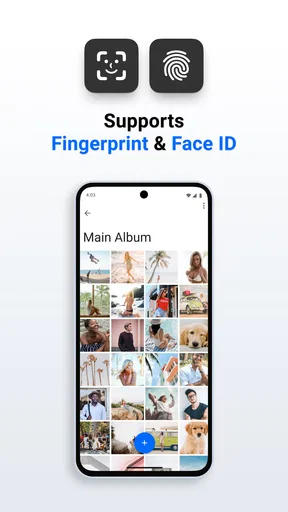
It is also worth thinking through how you will unlock the app in front of other people. A code or pattern can be convenient, while the original article describes fingerprint access on supported phones. Choose a method you can use reliably without announcing it or leaving the vault open after you finish. A lock helps at the moment of access; it cannot protect a phone that is already unlocked and being used without supervision.
One useful habit is to check the destination after importing. When you move a picture into a private space, confirm that you can find it there and understand how it appears in your regular gallery. This is especially sensible before removing any original copy. A vault is not a replacement for a separate backup strategy, and I would not delete an important memory until I knew exactly where its remaining copy was kept.
Keeping private media separate in everyday life
I find a photo vault most useful when a phone is shared casually, not when everyone is meant to use the same collection. Before moving pictures, I’d decide which items are mine to protect and which belong in a family album or the regular gallery. That small distinction makes the next question clearer: how do you set a boundary that remains practical when someone else is holding your phone?
Worth Reading Before You Choose

EA SPORTS FC Mobile 26 Is a Bigger Football Game, but It Takes Time

Flipboard Shows What News Apps Must Do Beyond the Feed

Switching to Android Auto Means Rethinking Your Driving Routine

Google Calendar Makes a Crowded Week Easier to Manage

Ludo King Makes the Most of the Minutes Between Plans

Baby Panda World Brings Quick Play to Modern Phones, but Its Game Library Feels Busy
Coordination without turning privacy into a household rule
For couples, relatives, or roommates who occasionally share a device, the app can help clarify one person’s boundary: these are my stored photos, and opening them requires my credentials. That can prevent casual browsing, but it does not coordinate a household by itself. It will not tell people which pictures are appropriate to share, create a shared family album, or manage another person’s access to the phone. I would keep those expectations explicit rather than assuming a vault settles them.
If your goal is to share selected pictures with family, a regular shared album is usually the more natural tool. If your goal is to keep some pictures out of casual view on your own device, a locked vault is closer to the job. Those needs can overlap, but they are not interchangeable: a private collection is designed around restricted access, while a shared album is designed around viewing together. Keeping the two purposes separate helps avoid importing something private into the wrong place.
For a household routine, I would also avoid making the vault a communal archive unless everyone understands who owns the account and who can unlock it. A password known to several people weakens the personal boundary the app is meant to provide. If several household members need their own private collections, separate personal devices or accounts are a cleaner arrangement than one shared vault with informal access rules.
Age, trust, and the limits of a lock
The app carries an Everyone content rating, but that is not a family-control feature and does not mean every use is suitable for every child. A locked photo collection does not replace supervision, device settings, or age-appropriate conversations about images and privacy. I would not give a child access to an adult’s vault or assume the app can enforce household rules; the person holding the credentials still determines who can open it.
For adults, the same principle applies in a less obvious way: privacy depends partly on trust and handling. A second password or biometric unlock may make access easier or add a layer of separation, but no app can stop someone who knows the credentials or uses the phone while it is already accessible. If you are storing material that would cause serious harm if lost or exposed, consider the consequences before placing it on a device others can handle, and keep an independent backup where appropriate.
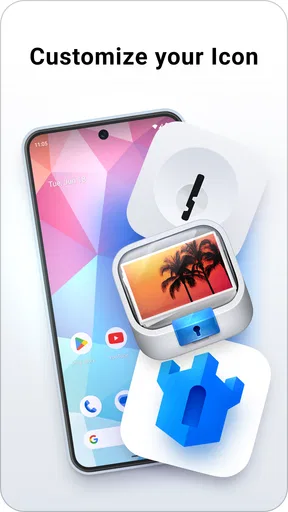
I would be cautious about treating concealment as proof of security. A discreet app can reduce accidental discovery, but hiding an icon or using a decoy arrangement, as the original review describes, should not be confused with encryption or a guarantee that nobody can find the app. The more important everyday safeguard is a device lock that other household members do not know, combined with careful control of the vault’s own credentials.
What the app is good at—and what it is not
Among photography tools, Keepsafe sits in a narrower lane than a full gallery editor or cloud photo library. It is aimed at keeping selected photos and videos behind an access barrier, not improving images, managing a large family collection, or replacing every way you store media. Compared with a phone’s built-in hidden-album option, a dedicated vault may feel more deliberate because private items have their own app and organization. The trade-off is another place to maintain and another step when you want to view or share something.
Compared with simply leaving pictures in the camera roll, the extra lock is useful when someone may browse the gallery while borrowing your phone. Compared with a shared album, however, the vault is less suited to group access and coordination. And compared with a general file manager, its photography focus is more approachable if your main concern is images rather than assorted documents. I would skip it if you want a complete photo backup, editing suite, or household-sharing hub; those are different jobs and may be better handled by tools designed for them.
The practical friction is easy to underestimate. Each private photo you want to show may require opening the vault and then deciding how to share it, rather than tapping it in the camera roll. If you move large batches, sorting them into albums first can save time later, but it also means maintaining a second organization system. For a small, carefully chosen set of sensitive pictures, that effort feels reasonable. For someone who wants every photo instantly available in one place, it may feel like needless housekeeping.
What to expect before you rely on it
Keepsafe is a free photography app from Keepsafe, with optional in-app purchases ranging from under a dollar to a few hundred dollars per item. I would check the purchase screen carefully before subscribing or buying anything, and decide whether the basic private-storage workflow already meets my needs. The app has been available since June 3, 2011, and its current version is 14.10.0; it supports Android 5.1 and later. Those details make it accessible to many older Android devices, although the features available on a particular phone can depend on its hardware and software.
Its audience is substantial: it has more than 50 million installs and a 4.7 average from around 2.1 million ratings, alongside roughly 218,000 written reviews. I take that as evidence that the basic idea has broad appeal, not as a promise that every person will find the workflow ideal. A vault is only useful if you remember to put the right items there and can still retrieve them when needed.
A sensible first test is to import a few nonessential pictures, lock the app, then reopen it and confirm that the access method and album organization make sense to you. Try the ordinary task you expect to do most—such as finding one private image or moving a new photo in—before trusting it with a large collection. That trial also helps answer a practical question: will the extra separation feel reassuring, or will the added steps make you stop using it?
If you change phones or remove the app, treat that as a moment to verify your media and account arrangements rather than assuming everything will automatically follow. For photos that matter, keep a separate copy in a place you control. I would not make any vault the only home for irreplaceable memories, because privacy and backup solve different problems: one limits access, while the other helps you recover files if a device or app is no longer available.
If you've ever been worried about keeping your personal photos and videos safe from prying eyes, you're not alone. That's where Private Photo Vault - Keepsafe comes into play. I decided to give it a whirl to see if it truly lives up to its promises of security and privacy.
First Impressions
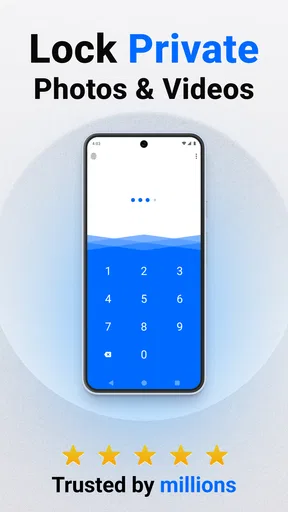
Installing Private Photo Vault - Keepsafe was a breeze. The app has a clean, intuitive interface that immediately makes you feel like your photos are in good hands. It's not cluttered, which is a huge plus for me. I hate apps that bombard you with too many options right off the bat. Here, it's simple: you open the app, set a PIN or pattern, and boom, you're ready to start protecting your photos.
Features and Functionality
The app offers a variety of ways to secure your photos. You can choose between a PIN, a password, or even fingerprint authentication if your phone supports it. This flexibility is fantastic because, let's face it, not everyone is a fan of typing in a PIN every time.
Once your security is set up, you can start importing photos and videos into the vault. The app allows you to import from your device’s gallery or take new photos directly within the app. What I found particularly cool was the “decoy password” feature. This lets you set up a second password that opens a different set of photos—perfect for those situations where someone might pressure you into revealing your vault.
Usability and Experience
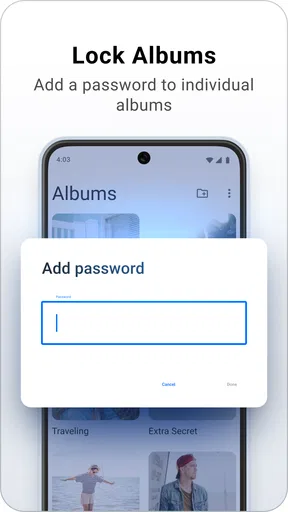
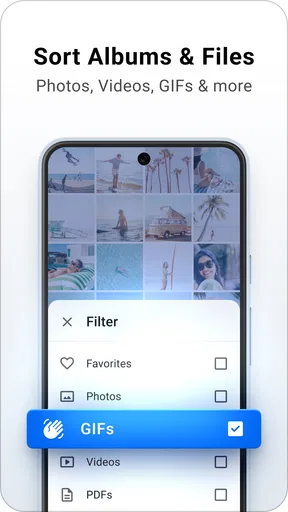
Using the app is as seamless as it gets. The design is straightforward, making it easy for anyone to navigate. I appreciated how quickly I could access my stored photos, and the app never lagged or crashed. The ability to organize photos into albums is another neat feature, as it keeps everything tidy and easy to find.
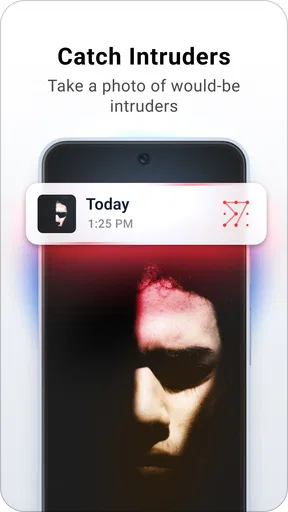
I also tested the “break-in alerts” feature, which is a nifty little function that snaps a photo of anyone who tries to access your vault with the wrong PIN. It's like having your own little security guard inside your phone.
Security and Privacy
What’s the point of a photo vault if it doesn’t keep things private, right? Keepsafe uses military-grade encryption to ensure your photos remain safe. That means even if someone gets their hands on your phone, they won’t be able to access your photos without the correct credentials.
Another thing I appreciated was that the app doesn’t upload your photos to any servers. Everything is stored locally on your device, which gives me peace of mind knowing my personal media isn't floating around in the cloud.
Who Should Use This App?
If you're someone who values your privacy and has personal photos you’d rather keep away from prying eyes, this app is a great choice. Whether it’s personal memories, confidential work photos, or anything in between, Keepsafe has got you covered.
Parents wanting to keep their kids from accidentally deleting or sharing photos might also find this app useful. Plus, the ability to disguise the app’s appearance on your phone adds an extra layer of stealth.
Final Thoughts
In a world where privacy is becoming a luxury, having an app like Keepsafe is almost a necessity. It’s user-friendly, secure, and offers a slew of features that make it stand out in a crowded market. Whether you're tech-savvy or not, you'll find it easy to use and reliable.
So, if you're in the market for a photo vault app, give Keepsafe a try. It’s one of those apps that does exactly what it promises, and in the world of apps, that's a rare gem.
Pros
- User-friendly interface for easy navigation.
- Strong encryption for photo security.
- Customizable albums for organization.
- Break-in alerts for added security.
- Supports multiple photo formats.
Cons
- Limited storage in free version.
- Ads can be intrusive at times.
- Occasional bugs with photo uploads.
- Requires in-app purchases for premium features.
- No support for video files in free version.
FAQs for Private Photo Vault - Keepsafe
What is Private Photo Vault - Keepsafe used for?
Private Photo Vault - Keepsafe is designed to protect your personal photos and videos by locking them with a PIN, pattern, or fingerprint. It provides a secure and private space, ensuring that only you have access to your sensitive media files. This app is ideal for users who wish to keep certain photos hidden from prying eyes.
How secure is Private Photo Vault - Keepsafe?
Keepsafe uses strong encryption and secure access methods, such as PIN, pattern, or biometric fingerprint protection, to ensure your media files are safe. Additionally, the app provides features like break-in alerts and fake PINs, which enhance security by notifying you of unauthorized access attempts and allowing you to create a decoy vault.
Can I back up my photos with Private Photo Vault - Keepsafe?
Yes, Keepsafe offers a cloud backup feature that allows you to store your photos securely online. This ensures that you can recover your files if your device is lost or damaged. The cloud storage is encrypted, providing an extra layer of protection for your sensitive media files.
Does Private Photo Vault - Keepsafe offer any customization options?
Keepsafe allows you to personalize your experience with customizable album names and covers. You can also organize your photos and videos into different albums for easy access. The app's interface is user-friendly, making it simple to manage and view your private media collection.
Is Private Photo Vault - Keepsafe free to use?
Private Photo Vault - Keepsafe offers a free version with basic features, but there are in-app purchases available for premium features. The premium version includes additional benefits like more cloud storage, break-in alerts, and access to personalized themes, enhancing the overall user experience.


